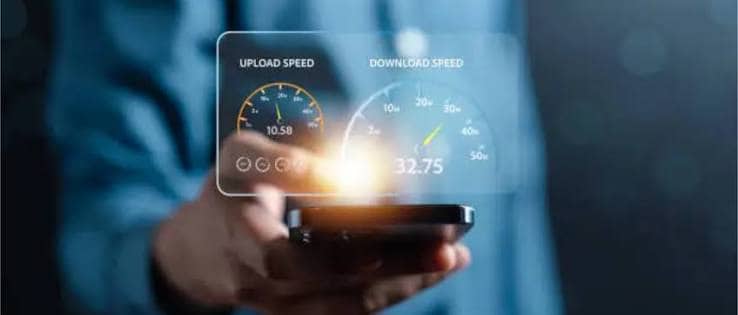
Buffering videos, laggy calls and slow downloads all have one thing in common: your internet speed. The good news is that checking it takes about a minute, and many fixes are free. This guide shows how to run an accurate speed test, what the numbers mean, what counts as a good speed in 2026 and how to speed up a slow connection.
How to Check Your Internet Speed
Follow these steps for the most accurate result:
- Use a wired connection if you can. Plug your computer into the router with an Ethernet cable. Wi-Fi adds variables that can hide your real speed.
- Close other activity. Pause downloads, streaming and cloud backups on all devices.
- Open a speed test. Popular options include Speedtest by Ookla, Fast.com, a search for “internet speed test” on Google, or your provider’s own tool.
- Run the test two or three times. Results vary from run to run, so use the average.
- Test at different times of day. Evening hours are often slower because neighbors share the same network.
- Compare with your plan. Check the speed your provider advertises. If you consistently get much less, there is a problem to fix.
What Do Download, Upload, Ping and Jitter Mean?
- Download speed is how fast data reaches you. It matters for streaming, browsing and downloads. It is measured in megabits per second (Mbps).
- Upload speed is how fast you send data. It matters for video calls, cloud backups and posting large files.
- Ping (latency) is how long a signal takes to travel to a server and back, in milliseconds. Lower is better, especially for gaming and calls.
- Jitter is how much ping varies. High jitter causes choppy audio and video.
What Is a Good Internet Speed in 2026?
In March 2024, the US Federal Communications Commission raised its fixed broadband benchmark to 100 Mbps download and 20 Mbps upload, up from 25 and 3. One 2026 guide citing FCC data puts the average US fixed connection at roughly 242 Mbps down and 87 Mbps up. For a typical home with several users, 100 to 200 Mbps is a comfortable range.
Here is a rough guide by activity:
| Activity | Rough speed needed |
|---|---|
| Email and web browsing | 5 to 10 Mbps |
| HD video streaming | 5 to 10 Mbps per stream |
| 4K streaming | 15 to 25 Mbps per stream |
| Video calls | 5 to 10 Mbps |
| Online gaming | 5 to 25 Mbps, with low ping |
| Busy household with many devices | 100 Mbps or more |
Add the needs of everyone using the network at the same time.
Why Is My Internet Slow?
Common causes include:
- Distance or walls between your device and the router
- Too many devices connected at once
- Congestion during peak evening hours
- An old or poorly placed router
- Background updates, cloud backups or large downloads
- Interference from other Wi-Fi networks or appliances
- Outdated router firmware
- An aging cable, a faulty modem or a line problem
- A plan that is simply too slow for your household
10 Ways to Improve Your Internet Speed
- Restart your modem and router. Unplug both for 30 seconds, then plug them back in. This clears many temporary faults.
- Move the router. Place it in a central, elevated, open spot away from thick walls, metal and microwaves.
- Use Ethernet for key devices. Wired connections are faster and more stable for desktops, consoles and smart TVs.
- Switch Wi-Fi bands. The 5 GHz band (or 6 GHz if supported) is faster at short range than 2.4 GHz, which travels farther but runs slower.
- Update router firmware. Updates fix bugs and security holes and can improve performance.
- Limit background usage. Pause large downloads and cloud backups while you work or play.
- Reduce connected devices. Disconnect devices you are not using.
- Try a mesh Wi-Fi system. If your home is large, mesh nodes remove dead zones better than range extenders.
- Scan for malware and unwanted apps. Malicious software can quietly use your bandwidth.
- Upgrade your equipment or plan. Older routers may not handle modern speeds, and your household may have outgrown its plan.
When Should You Call Your Internet Provider?
Contact your provider if wired speed tests are consistently well below your plan, if your connection drops often, or if a restart doesn’t help. Share your test results, with dates and times, so the technician can see the pattern. Ask whether a line check or a modem replacement is needed.
Frequently Asked Questions
What is a good internet speed for streaming?
About 5 to 10 Mbps per HD stream and 15 to 25 Mbps per 4K stream. Multiply by the number of screens in use at once.
Is 100 Mbps fast enough?
For most households, yes. It meets the current FCC benchmark and handles streaming, video calls and gaming on several devices. Heavy users may want more.
Why is my Wi-Fi slower than my plan?
Wi-Fi speeds drop with distance, walls, interference and device limits. Test with Ethernet to see your true plan speed.
What is a good ping for gaming?
Lower is better. Under about 50 ms is good for most games, and many players aim for even lower.
Why is upload speed slower than download speed?
Most home plans, especially cable, give far more bandwidth to downloads than uploads. Fiber plans often offer more balanced speeds.
How often should I test my internet speed?
Test when you notice problems, after changing equipment or plans, and occasionally at different times of day to spot patterns.
Final Thoughts
A quick wired speed test tells you what you are really getting. If the result is poor, start with the simple fixes: restart your gear, move the router, switch bands and cut background usage. If those don’t work, upgrade your equipment or talk to your provider.