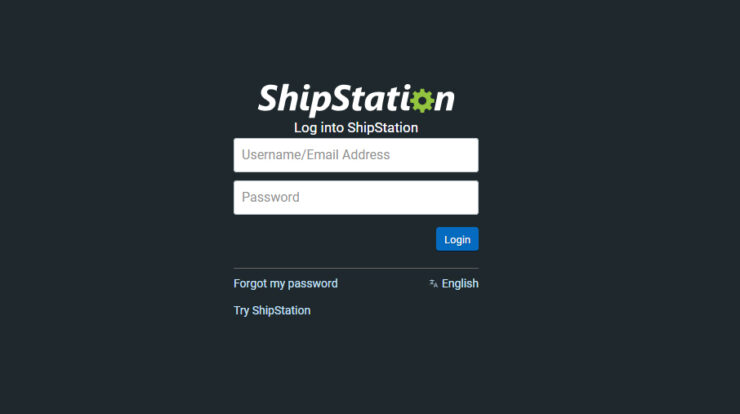
It’s simple to get into your ShipStation account. To get into your account, use the login URL—
– https://ss.shipstation.com
The fact that ShipStation’s home page doesn’t have a login button is strange. A new user can create a ShipStation account using the website’s Create Account button, as shown in the section below.
Steps to login to your Shipstation account.
- Go to https://ss.shipstation.com/ to get to the ShipStation login page.
- To log in, use your username and password. Do not use the email address you used to create your account. Instead, use your ShipStation username.
Most users make the mistake of using email addresses as login information. After several unsuccessful login attempts, the platform will unfortunately lock your account.
Getting Started with user management in Shipstation
A normal direct-to-consumer brand might have more than one unit that handles things like shipping, quality control, returns, and more. Each of these people might need to be able to see a certain part of their ShipStation display.
It’s easy for ShipStation to handle this use case because it lets you add multiple users to an account with different permissions. The platform lets 10 users share an account by default.
How to add a user in your shipstation account
- Please sign in to your account.
- Select “My profile,” as displayed below.
- Click User Management in the left-hand box.
- A list of all the users in your account to date can be found here. Press “Add New User.”
- This new user should have a name, an email address, and a temporary password set up. Once a new user signs up, ShipStation will send them an email with a verification link.
- To add permissions for our recently created user, click the Permissions tab, as shown below.
- To finish adding a user to your ShipStation account, click “Save.”
Steps to reset password of your Shipstation account
You can change your ShipStation password by following these steps if you ever get locked out of your account.
- Visit the ShipStation login page at https://ss.shipstation.com.
- Tap I forgot my password.
- To log in to your account on ShipStation, you will need to enter your user name. Please ensure you enter your username rather than your email address.
- ShipStation will send a link to change your password to the email address you used to sign up.
- This link, which you just got, will take you to the screen where you can change your password.
- You can now log in with your new password and user name.
About Shipstation
If you sell things online, ShipStation is software that makes shipping easier for you. If you sell on eBay, Amazon, Shopify, or any other big site,
By connecting all of your sales platforms in one place, ShipStation can automate your shipping. It works wonderfully for all kinds of companies, from small shops run out of people’s homes to big stores that sell in many places.
You can get orders from your selling channel, make and print shipping labels, keep track of shipments, and more on the platform. Over 50 e-commerce sites, such as Shopify, WooCommerce, BigCommerce, and others, are already built into the tool.
Along with e-commerce platforms, ShipStation gives you a variety of shipping choices by connecting you with UPS, DHL, and FedEx, among others, so you can sell your goods all over the world.
Storeplum automatically connects to e-commerce delivery providers such as Shippo and Shiprocket. As we speak, our teams are working on adding a new integration for ShipStation. This will let you create new orders in your ShipStation console right from Storeplum