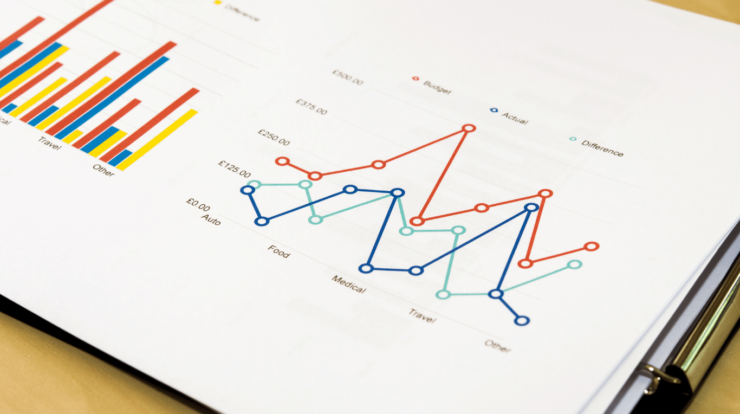
That makes it easy to see each number in a single category on a strip chart. To spot every point in your data set, you plot each value as a dot. Strip charts differ from other charts in that they have one variable on the category axis and one on the number axis. If numbers repeat, the dots may stack up and make a visible strip. This straight view helps you quickly spot trends or anomalies. When you create a simple strip chart, you get a straightforward tool that highlights each data point and makes trends effortless to spot.
Key Takeaways
- Strip charts make it easy to spot trends, groups, and outliers because they show every data point in detail.
- Simple tools like Excel or more complicated systems like FineBI can be used to make strip charts that can be shared and updated in real time.
- Instead of using paper and pens, modern digital strip charts utilize screens and software, simplifying data storage, analysis, and sharing.
- To keep your data clear and avoid clutter, use strip charts for small files and one category with one number.
- Adding features like jitter plots and color coding makes things easier to see and helps you compare groups.
Strip Chart Overview
What Is a Strip Chart
You can show different data points along a single line with a strip chart. With no overlap or confusion, this type of chart helps you see every value in your data set. You can quickly spot trends, clusters, or outliers because each point shows as a dot. Focus on one category and one number value when you use a basic strip chart. This method makes it easy to see trends and compare numbers.
Because they don’t hide data, strip charts stand out. It’s simple to see each number. A strip chart is a clean and easy way to look at a small collection. In scatter plots and histograms, you can avoid the clutter that can sometimes show. Many scientists and analysts use strip charts to highlight each and every finding.
A strip chart could be used in a science lab, a business report, or to check the quality of something. You can, for instance, record how well machines work or how well students do on tests. With real, easy-to-see data points, the chart helps you make choices.
Key Features
The features of a strip chart make it an effective tool for visualization. You can use these features to get more accurate and useful information from your data.
Tip: Strip charts are best for seeing all of your data points without losing any of the details.
A strip chart will typically have the following features:
| Numerical Feature / Component | Description and Benefit |
|---|---|
| Display of Individual Data Points | Shows all data points clearly without clutter. Great for small datasets and avoids congestion. |
| Multiple Coordinate Axes | Lets you use up to four axes, each with its own labels and titles. This helps you position numbers precisely. |
| Crosshairs | Adds perpendicular lines to help you read exact values on the chart. |
| Customizable Data Elements | Lets you change symbols, colors, and layers for each point. This makes it easy to compare different groups. |
| Grid Lines | Extends ticks across the chart so you can estimate and compare numbers more easily. |
| Legend | Shows names and symbols for each group, making it easier to interpret categories. |
| Marker | Allows you to highlight or annotate specific points or areas. |
| Pen | Controls how data points look, supporting different styles for complex data. |
To make your visualization more powerful, you can use these features. You could use different colors for each group or use marks to highlight outliers, for instance. With a chart recorder, you can record data in real time and show it on a strip chart right away for study.
When you need to see every value, strip charts are the best way to do it. This kind of chart helps you avoid the confusion that other types can cause. In addition to making your research more accurate and insightful, you also gain tools to modify and mark your data.
How Strip Chart Works
Main Components
There is an effortless but powerful way to show data that you can see in a strip chart. You can record and show information over time using the fundamental strip chart components. There are four key parts to these components:
- Sensor Data Input Signal: This part receives data from devices. For example, a temperature probe or a pressure monitor could be used. The signal tells you what you want to know because it changes over time.
- Medium for Recording: In regular strip charts, a long piece of paper moves along the track. You can change how fast the paper goes if you need to. The data in digital systems is kept on a screen or in a file.
- With a pen or stylus, mark the recording medium at this point. When a signal is sent, the pen moves up and down to match it. A line or a group of dots indicates how the data changes.
- This function is the part that moves the paper or updates the digital screen. It maintains a steady recording and fits the desired time scale.
Together, these signal components create a clear visual picture from raw data. You can immediately see trends, rapid changes, or things that don’t fit the norm.
Note: Over time, the main components changed. Instead of paper and pens, digital strip charts use screens and software. However, the fundamental concept behind digital strip charts remains unchanged.
Operation Explained
There are many places to use strip charts, from old-fashioned labs to high-tech workplaces. A monitor that reads a variable, like temperature or power, is the first part of the process. There is a signal sent from the sensor to the recording. It moves the paper or updates the screen through a drive device. A pen or digital marker moves to indicate the signal number. In real time, you can see a copy of your data.
To see how strip charts work, follow these steps:
- Sensors pick up on a changeable thing, like pressure or temperature.
- The signal is sent to the logger for the strip charts.
- This part of the machine moves the paper or updates the digital screen.
- As the signal value changes, the pen or digital marking moves to match it.
- A line or dots on the chart show how things have changed over time.
- It’s easy to see trends or problems because you can see the data as it happens.
Strip charts can be used in many different situations. In health, they are used to keep an eye on heartbeats. Experts monitor the performance of machines in workshops. They’re used by scientists to keep track of studies. You can even use them to check the quality of the water or air.
Comparing Traditional and Modern Approaches
You might be interested in how strip charts have changed. Mechanical strip charts from the past use pens and paper. Modern digital strip charts utilize screens and software. Here’s a table that shows the different parts:
| Feature | Traditional Mechanical Methods | Modern Digital Techniques (Paperless Recorders) |
|---|---|---|
| Recording Medium | Physical pens mark on paper strips or circular charts | Digital display on integrated screens |
| Data Storage | Permanent physical paper charts | Digital files stored locally on removable media |
| Data Manipulation | Fixed physical charts, no zoom or review capabilities | Zoomable, reviewable, and easily shareable digital data |
| Operational Components | Mechanical and electro-mechanical parts (servo motors, servo potentiometers, stepper motors) | Electronic components with no mechanical parts |
| Archiving | Physical charts can be torn off and archived | Digital data can be stored, retrieved, and downloaded easily |
| Display Quality | Physical ink on paper, limited by pen and paper quality | High resolution, color quality approaching modern PC displays |
| Application Suitability | Continuous process recording, laboratory and process measurement | Conservation of paper, easy data retrieval, and sharing |
These days, tools for showing data, like FanRuan and FineBI, make strip charts even better. You can share results right away, connect to a lot of data sources, and see data in real time. Also You can drag and drop data, use filters, and make dynamic dashboards with FineBI. You don’t have to worry about preserving data on paper or manually. You can zoom in, look at old data, and work together with your team.
Performance and Accuracy
You want your strip chart to function effectively and accurately. Statistics about performance tell you how well your chart stores and shows data. This table displays some important metrics:
| Metric / Class | Description | Values / Percentages |
|---|---|---|
| Qualitative Error Classes | Classification of deviations in curve detection: – Class 0: No or negligible deviation (<0.2 mm) – Class 1: Minor deviation (0.2–0.5 mm) – Class 2: Major deviation (0.5–10 mm) – Class 3: Severe deviation (>10 mm, requiring manual correction) |
Class 0: 75.9% of charts correctly processed Class 1: 10.3% Class 2: 5.2% Class 3: 8.6% |
| Quantitative Metrics | Mean Absolute Error (MAE) and Relative Mean Absolute Error (RMAE) at various time resolutions, indicating accuracy of precipitation intensity extraction: – Day resolution: MAE ~0.38 mm, RMAE ~0.0321 – Hour resolution: MAE ~0.14 mm, RMAE ~0.0960 – Half-hour resolution: MAE ~0.11 mm, RMAE ~0.138 – 5-minute resolution: MAE ~0.056 mm, RMAE ~0.396 |
Demonstrates high accuracy at daily and hourly scales, with increasing error at finer resolutions due to data acquisition differences |
| Computational Efficiency | Processing time for 58 images: 5 minutes 6 seconds (~5.28 seconds per image) on a dual-core 1.7 GHz CPU | Indicates practical feasibility of automatic digitization |
It’s clear that daily and hourly rates work best for strip charts. When you try to record data rapidly, errors happen more often.
Real-Time Data Visualization
You can see data as it happens with modern strip charts. LabVIEW software, for instance, can be used to make a strip chart that changes in real time. The program updates the screen and adds new data points. You can keep an eye on medical signs or industry processes at all times. FineBI also supports real-time data visualization. Your dashboard allows you to connect to devices, share data, and observe the evolution of trends over time.
Real-time visualization can help you spot issues early and decide quickly.
In data visualization, strip charts are still very useful. You can share your thoughts, keep track of changes, and find oddities with them. There is a clear view of your data, whether you use old-fashioned paper or new digital tools, like FineBI.
Popular Tools to Make a Strip Chart
You can select from a variety of tools when you want to create a strip chart. For quick, easy charts, some tools work best. Others give you more advanced tools for sharing and analyzing data in more depth. Most people choose one of these options:
1. FineBI by FanRuan
FineBI stands out as a cutting-edge tool for business information. You can drag and drop your data from different sources and connect to them all. In minutes, you can make dynamic strip charts. It is possible to filter, zoom, and identify data points in FineBI. There are also ways to publish or share your charts with your team. FineBI lets you change data in real time, so you always see the most up-to-date information.
If you want self-service analytics and an easy way to connect to other business tools, FineBI is a fantastic pick.
2. Microsoft Excel
There is a simple way to make strip charts in Excel. A scatter plot can look like a strip chart. It’s easy to use Excel for small numbers and quick results. You can change the colors and add names, but it might be harder to work with big or complicated sets of data.
3. Python (matplotlib and seaborn)
Python has strong tools like matplotlib and seaborn that you can use if you know how to code. Create detailed strip charts with just a few lines of code. You can change everything about your chart with these tools, from the colors to the titles. Python is best for people who want convenience and freedom.
You can choose the tool that works best for you. FineBI has everything you need to make a modern strip chart quickly, interactively, and easily.
How to Create a Strip Chart
Steps to Create Strip Chart
By following a few simple steps, you can quickly create strip chart displays. Use a platform like FineBI from FanRuan or one of the many digital tools that make this process simple to use. This is a step-by-step plan to help you begin:
- You need to first load your information into the tool you’ve chosen. With just a few clicks, FineBI lets you connect to databases, Excel files, or even APIs.
- Start up the Visualization Panel:To create strip chart visuals in FineBI, open the dashboard editor and select the appropriate option.
- With Drag and Drop Fields, you can move your number data to the value area and your category field to the line. This action immediately creates a map where each data point is represented as a dot.
- Change How Your Chart Looks: Set the colors and add a title to your chart to make it easy to understand. If you want to see things better, you can also use jitter to separate points that meet.
- Compare Groups: Add more data sets if you want to compare different groups. Different colors for each group will make it easy to see how they compare.
- To finish, publish your dashboard. Then, share it with other people. You can share your strip charts with your team or export them to FineBI for reports.
You don’t need to know how to code to create strip chart screens with FineBI’s drag-and-drop interface.
How to Read Strip Charts
As you read strip charts, try to find trends, groups, and oddities. Each dot displays one data point. You know that value shows up a lot if you see dots piling up. Spread-out dots show many different outcomes. You can find trends by looking at how the dots are placed and grouped in different groups.
These days, digital tools like FineBI let you filter and zoom in on your data. This makes it easy to pay attention to certain groups or times. In business, you might use strip charts to record how well sales are going, how well equipment is working, or how well quality control is going. It’s important to have correct perception. New research shows that advanced models, like deep learning, can correctly read strip charts in science and commercial settings more than 90% of the time. Since this is the case, you can trust your thoughts when you use digital strip charts to make choices.
You can create strip chart dashboards and understand them with confidence thanks to FineBI from FanRuan. You can take raw data and turn it into clear business information that you can act on.
Strip Chart in Practice
Common Uses
In real life, you can use strip charts for many things. The airquality collection in R programming has one of the most well-known examples of a strip chart. Readings of ozone are part of this information that keeps track of the air quality in New York. You can see how ozone levels change over time by plotting these numbers. When many values overlap, a jitter plot can help you see the points more clearly.
Scientists and experts use strip charts a lot to look at the quality of the air. It might be fascinating to look at how much ozone there is in different months. You can also use strip charts to look for data that changes quickly or has something that stands out. You can keep track of how well machines work or the quality of products in business. Teachers display test scores on strip charts. They are used by doctors to keep an eye on patient data.
You can use R programming or new BI tools to make strip charts that work well. FineBI makes it easy to link your data and create pictures that you can work with. A jitter plot can also help you see things more clearly when points are stacked.
Tip: If your data points intersect, use a wobble plot. And this makes it easy to see each number.
Advantages and Limitations
Using strip charts to show things can help you in many ways. Because strip charts show all of the data points, you never miss anything important. They help you find outliers quickly and work well for small datasets. You can use them to see how two groups compare or to see how things change over time. Strip charts that are effective make it easy to see patterns and trends.
But there are some things that strip charts can’t do. The chart may look crowded if you have a large dataset. A jitter plot can’t help but make it hard to read because there are too many points that overlap. Furthermore, one category and one number work best for strip charts. They don’t show how different variables are related to each other.
To help you remember, here is a quick table:
| Pros | Cons |
|---|---|
| Shows all data points | Can get crowded with large datasets |
| Easy to spot outliers | Limited to one category and one value |
| Simple to create | Hard to show complex relationships |
You can make effective strip charts by finding the right dataset and using tools like R programming or FineBI. When you work with airquality data, you see how strip charts help you understand ozone rates and other air quality measures.
Visualize Your Data Easily with FineBI
Interactive Dashboard
You can turn your data into clear pictures with FineBI’s dynamic dashboard. This tool lets you see every data point from your strip chart in real time. You drag and drop your data fields onto the dashboard. Also You watch as each number shows as a dot or line. You can zoom in, sort, and mark important points with just a few clicks.
Interactive dashboards help you spot trends and outliers quickly. In healthcare, studies indicate that dashboards can improve the tracking of clinical quality measures. For example, the odds rates for improved testing and documentation range from 1.10 to 2.08 when dynamic dashboards are used. Making better decisions may be aided by dashboards that display pertinent information at the appropriate moment based on these data.
Tip: You can focus on certain time periods or groups by using the dashboard settings. This feature makes it easier to see trends in the data displayed on your strip chart.
Your team can also see your dashboard. Everyone sees the most recent facts. This helps people work together and solve problems more quickly.
Self-Service Analytics
You can look through your data on your own with FineBI. You don’t have to wait for data or IT experts. To make your own reports, you connect your data sources and pick out the information you want to see. The drag-and-drop feature makes this easy to do.
You can compare groups, create your own strip charts, and change the way your data looks whenever you want. Your charts will always show the most up-to-date data because FineBI lets you change them in real time. Besides that, you can set up alerts to let you know when numbers go above or below certain limits.
Self-service data helps you respond to inquiries quickly. Without writing a code, you can try out ideas, see what happens, and share what you’ve learned. This way of doing things makes it easy for everyone in your company to analyze data.
Note: FineBI’s self-service tools can help you turn basic data into insights that are clear and useful. You have more power over the business decisions you make.
Also You now know that strip charts make it easy to see trends and strange data points by letting you see each data point in a picture. You can monitor ozone levels and see how they change over time by using airquality data. That’s why strip charts are ideal for small datasets and for showing off the benefits of using them in your reports. You can use powerful features for real-time tracking and analysis with current BI tools like FineBI from FanRuan.
- You have access to both past and present airquality data, which helps you make more informed decisions.
- Key success factors can be tracked using BI tools, and airquality trends can be analyzed for patterns.
- You can automate the gathering and sharing of airquality data to boost productivity.
- Visual tools like strip charts transform raw airquality data into clear, usable insights.When you work on your next project, use strip charts. You will discover that they make your decisions more informed and your airquality analysis more accurate.
Continue Reading about Strip Chart
FAQ
1. What is the main purpose of a strip chart?
2. How do you handle overlapping points in a strip chart?
3. Can you create a strip chart using r programming?
Yes, R programming allows you to create a strip chart. There are built-in methods for strip charts in the language. For more complex graphs, you can also use tools like ggplot2.
4. When should you use a strip chart instead of a histogram?
5. What are the benefits of using digital tools like FineBI for strip charts?
You can quickly make strip charts with digital tools like FineBI. You can share charts and data with your team in real time and connect to a lot of different data sources. These features make your analysis go more quickly and creatively.